PHP Setup
How to Install PHP on Windows, Linux, and macOS
A
Admin
March 22, 2026
164 views
Before you install Laravel, the first requirement is PHP. Laravel runs on PHP, so setting it up correctly is the foundation of your development environment.
In this guide, you will learn how to install PHP on Windows, Linux, and macOS.
👉 After installing PHP, follow our complete Laravel setup guide to build your first project.
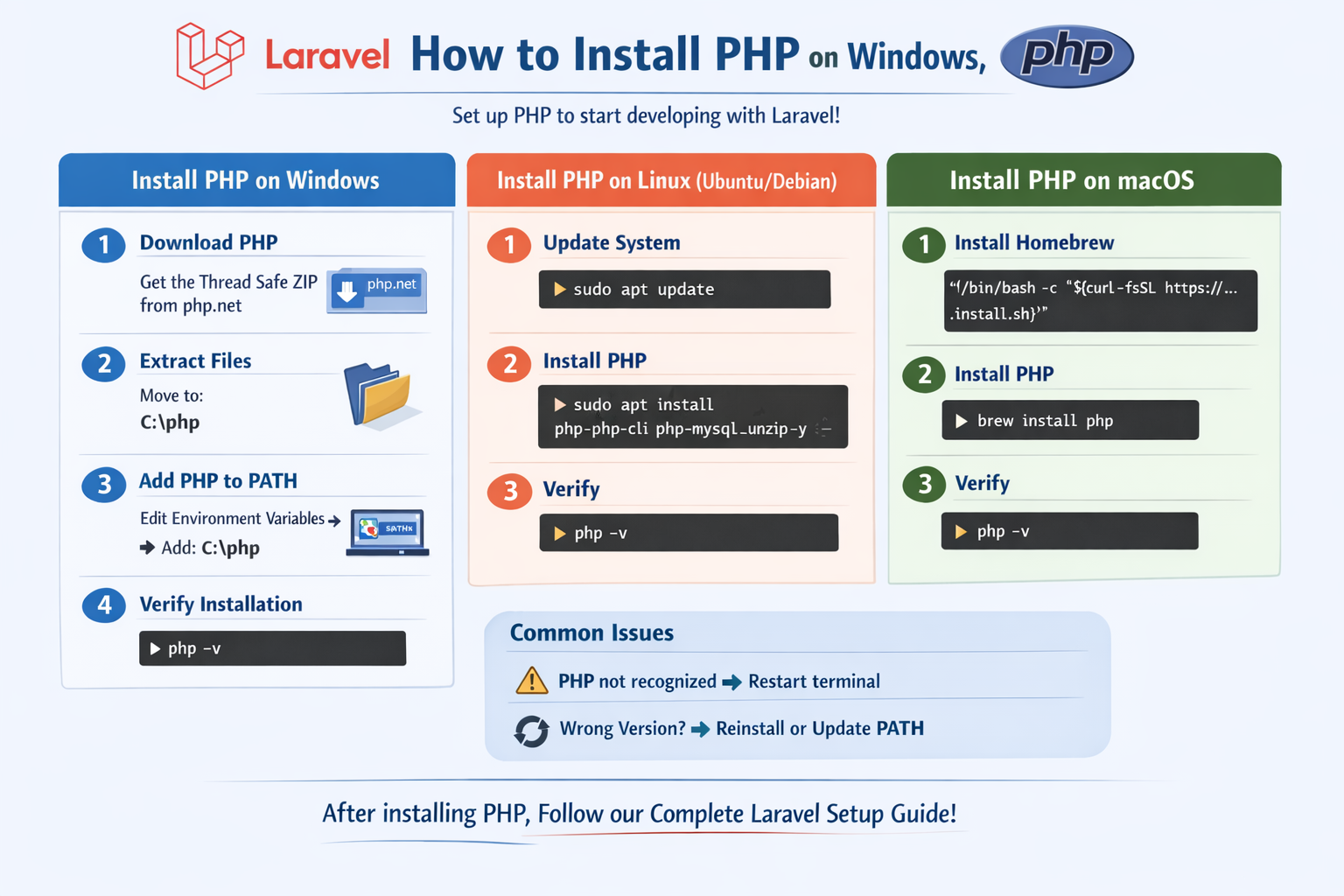
Install PHP on Windows
Step 1: Download PHP
Go to the official PHP website and download the Thread Safe ZIP version.
Step 2: Extract Files
Extract the ZIP file and move it to:
C:\php
Step 3: Add PHP to PATH
- Open Environment Variables
- Edit System PATH
- Add:
C:\php
Step 4: Verify Installation
php -v
Install PHP on Linux (Ubuntu/Debian)
Step 1: Update System
sudo apt update
Step 2: Install PHP
sudo apt install php php-cli php-mysql unzip -y
Step 3: Verify
php -v
Install PHP on macOS
Step 1: Install Homebrew (if not installed)
/bin/bash -c "$(curl -fsSL https://raw.githubusercontent.com/Homebrew/install/HEAD/install.sh)"
Step 2: Install PHP
brew install php
Step 3: Verify
php -v
Common Issues
- PHP not recognized → Restart terminal
- Wrong version → Reinstall or update PATH
Recent Posts
XAMPP Not Working? Fix Apache & MySQL Crashing Issues (Step-by-Step Guide)
How to Connect PHP with MySQL (Step-by-Step Guide for Beginners)
Laravel Folder Structure Explained
How to Run Your First PHP Project on Localhost (Step-by-Step Beginner Guide)